
SeaView FLOW
A powerful AI agent for your geophysical data
A powerful AI agent for your geophysical data
SeaView FLOW is the first AI agent specifically designed for geophysical data processing.
Users can simply ask questions or chat with the agent to analyze or process their data, execute actions, or develop complex SeaView scripts.
SeaView FLOW uses locally optimized models to run at incredible speeds on consumer hardware.
Thanks to its integration with SeaView's scripting engine, SeaView FLOW can execute complex tasks with ease.
SeaView FLOW runs entirely on your computer. It does not rely on third party AI vendors. Your data, your computers, your privacy.
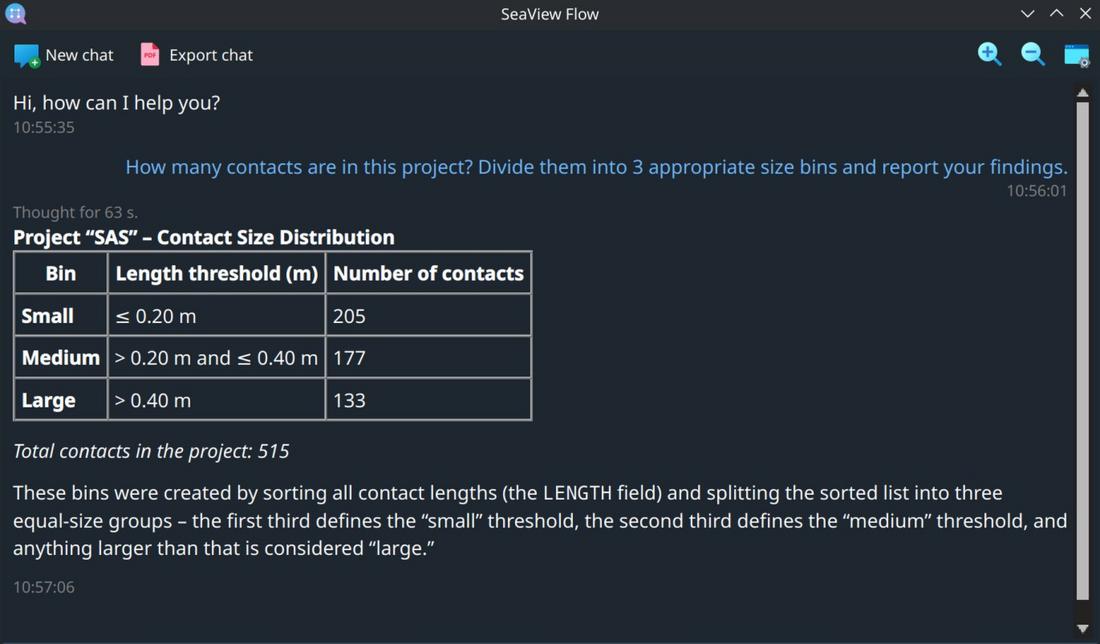
SeaView FLOW's AI engine can "think" about your data. It takes a natural language query and turns it into an actionable plan.
Once the plan is clear, it proceeds executing it to provide you with the required answers.
You can quickly QC your data by simply asking SeaView to provide the relevant details. No prior SeaView knowledge or complex scripting abilities are required.
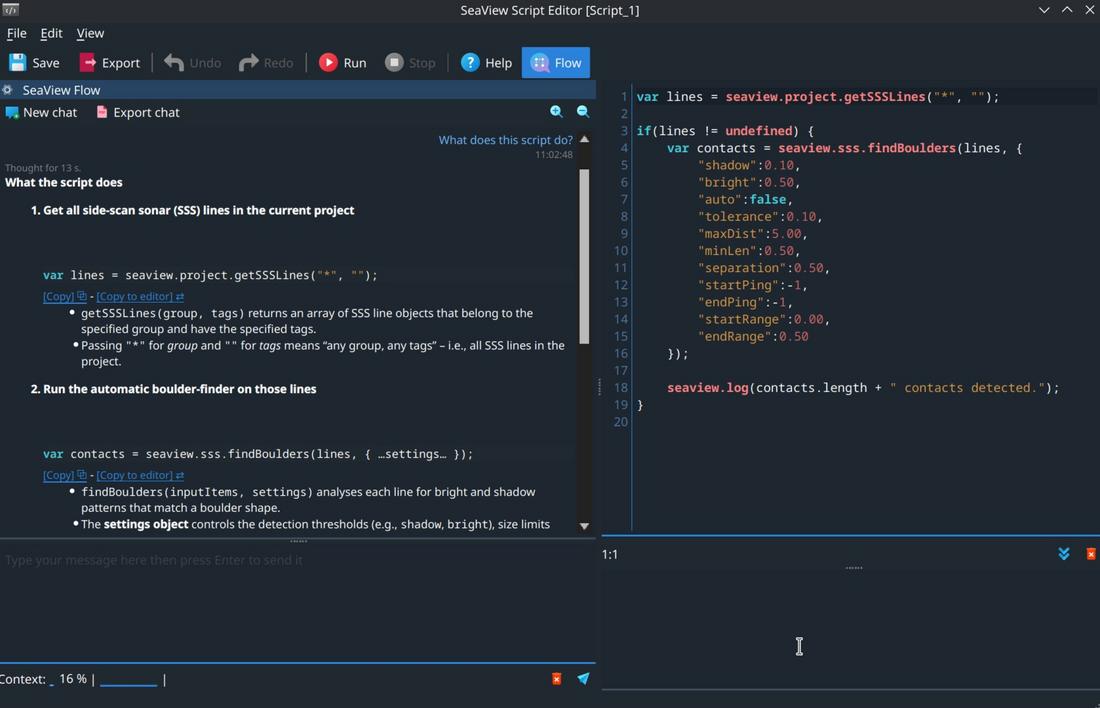
Experienced SeaView users can leverage SeaView FLOW to quickly develop complex automations and scripts.
SeaView FLOW can turn your requests into ready to use SeaView scripts.
It can also explain existing scripts and provide suggestions on how to optimize them.
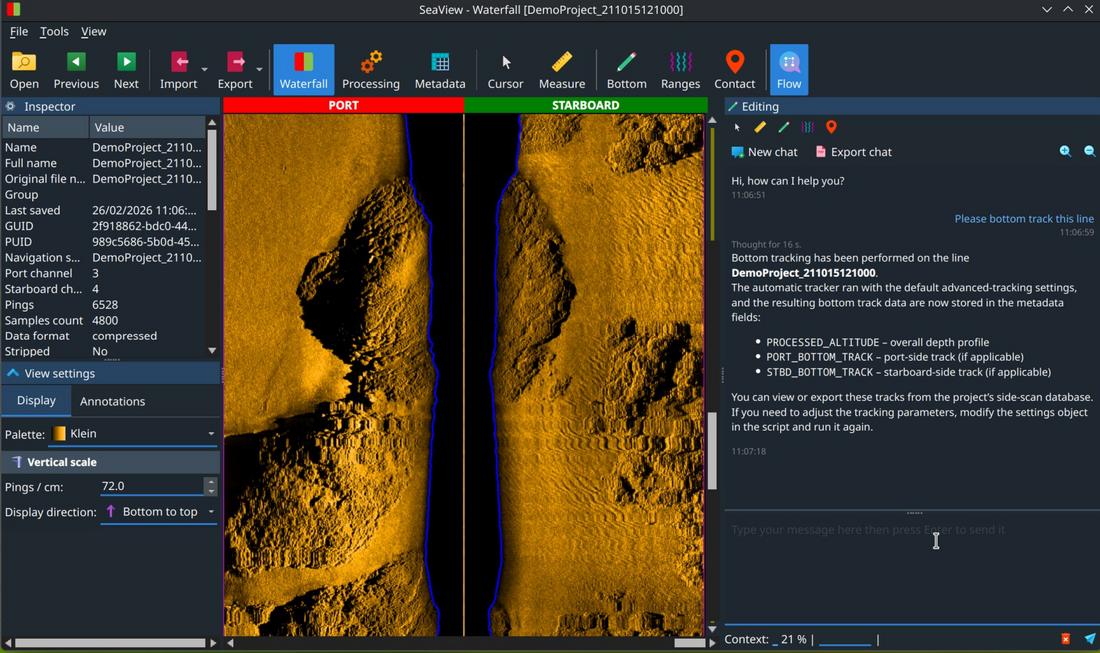
You can chat with SeaView FLOW from any SeaView's window and module.
SeaView FLOW understands the current context and reacts accordingly.
For example, you can ask it to bottom track a side-scan file directly from the waterfall window.
Learn more about the other modules in the SeaView suite or contact us for a free trial.
| Main capabilities | |
|---|---|
| User help | Answer questions on how to use SeaView |
| Scripts developer | Provide assistance with SeaView script development and debugging |
| Agentic workflows | Analyze and/or manipulate your project data to answer questions or execute a user defined task |
| Compatibility | Fully integrated with all the modules in the SeaView suite |
| System requirements | |
| Processor | 64 bit Intel CPU (or compatible), quad core, 2.5 GHz or faster. |
| RAM | 16 GB or more |
| Hard Disk | 20 GB free or more (SSD recommended) |
| Graphics card | GPU with at the least 12 GB of dedicated memory and compatible with Vulkan 1.2, CUDA, or rocm |
| Operating system | Linux 64 bit² |
| Licensing | |
| Virtual dongle | No physical dongle is required to run the software. |
| Cloud compatibility | Optional support for all major public cloud vendors² |
Notes